
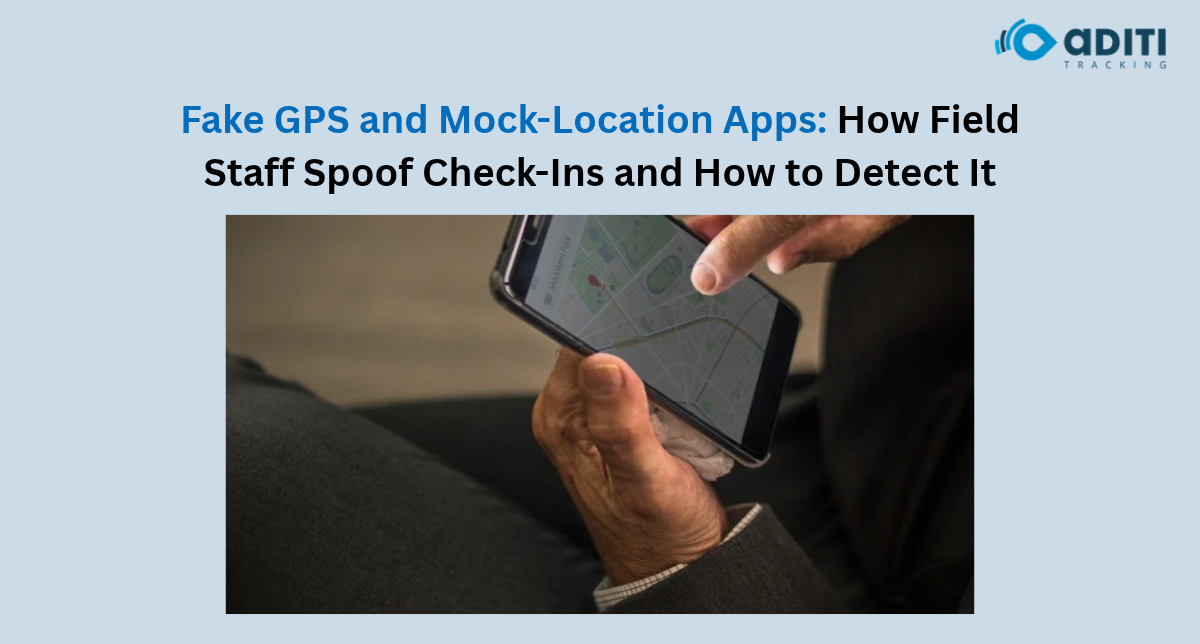
A field executive of yours checks in at a client location in Bangalore. You see him checking in successfully on your portal at 10:30 am. All good, right?
Client tells you he never had someone visiting him today.
How come his location was showing correctly? There could be many reasons behind it. One reason could be that the employee was using a Fake GPS app.
Fake GPS apps allow phones to show a different location than where they actually are. This is a problem if you are running a field force management for your business. Your sales reps or technicians may be able to do this.
With a field staff tracking app you can keep track of their location but it is essential to know more about Fake GPS and what indicators can help you determine if your employee checked in falsely.
What are Fake GPS Apps & Mock Location Apps?
Fake GPS apps can alter the location of your device.
Smartphones use multiple techniques to guess your current location. Using a mock location app can provide false location to the applications you are using.
So your employee can show up at a clients location when they really aren’t there.
Here are some things employees can do with a Fake GPS app:
- Show up at clients’ locations when they haven’t visited.
- Show up at their clients office.
- Check into a location from another place.
- Log a false location for field visits.
Mock Location apps are also used by developers for testing purposes. So it doesn’t mean your employee checked in at a false location if they have a fake GPS app installed.
Why Its Hard To Detect Fake GPS Location?
You may have a location pinned on your map and everything seems fine.
It could be near your clients location and the time could be right too.
But what if your employee isn’t really there.
If you have a basic field staff tracking app then it may be difficult to find out that the location is incorrect.
Accuracy of a location vs True location. A location can be accurate to your position but may not be true. So there are factors that you will need to consider when looking at a location.
How Do I Know If Someone Used A Fake GPS?
No single factor can tell you that your employee checked in with a Fake GPS.
Here are a few pointers you can use to analyze the location of your employee:
Employee Checked In At An Impossible Time
Your employee may check in at two far away locations within a small amount of time.
For instance they check in at two locations which are 40km apart. But the time difference between those check-ins is 5 minutes. This could mean they were late in updating their time or using a Fake GPS app.
Location Appears From Nowhere
The employee’s location may show up at one place and suddenly at another location. You would want to investigate these type of locations but keep in mind that they may have been receiving a bad GPS signal.
Same Co-ordinates Every Time
If the employees location shows up with the same co-ordinates each time they visit a location. It could be fine if they are using your field staff tracking app to log that location. But if not you may want to double check.
Employee Doesn’t Have Any Details About Their Visit
Your employee checked in but can’t provide any information about what they did at the location. Again this doesn’t mean they didn’t go but it is something you should look into.
How Can I Detect Fake GPS Location?
By using a Fake GPS Detection or Mock Location Detection App. These apps can detect certain things about a devices location and may give you an indication that they are spoofing their location.
Some apps will let you know if the device is providing a simulated location. Others will show if the location changed too quickly or provide more information to help you decide if the location is false or not.
Keep in mind that a person can still use a Fake GPS app and bypass some of these checks. Just because someone’s location may look suspicious doesn’t mean they are definitely falsifying their location.
How Can I Prevent My Employees From Using Fake GPS Apps?
By implementing a process that will require your employee to complete tasks at that location. Don’t just ask them to arrive at that location but have them perform work while there.
Some things you can do to ensure your employees are actually there:
- Assign a Task – Know where they need to go and what they need to do.
- Have Them Check In – Use an app that will let your employee log their location.
- Require Proof – Have them take pictures of what they did or provide other forms of verification.
- Look For Suspicious Locations – If you notice your employee jumping around locations or traveling to far locations in short periods of time you should look into it.
- Verify With Client – Call your client to make sure your employee was actually there.
- Allow Exceptions – Your employee may have had issues with their GPS or were unable to log their check in. Give them a chance to explain.
Make Sure Your Field Staff Tracking App Has These Features
When choosing a field staff tracking app you want to know if they offer any of these features. Not all field staff tracking apps will have a feature that detects if someone is using a Fake GPS app. So make sure to ask when you are shopping for an app.
Be Aware Of Your Employees Privacy
As a company you should always have a reason why you are tracking your employees. Make sure your employees know when their location is being logged and who has access to that information. Don’t over track your employees and create a policy to follow if you believe your employee may be using a Fake GPS app.
Ensure Your Employee Location Is Accurate
Now that you know about Fake GPS you can make sure your employees are really where they say they are. If your looking for a Business Solution like Aditi Tracking we have a solution called ClickTask that can help your business manage their field staff. Learn more about how you can track your employees with Aditi Tracking.
Make Field Attendance More Dependable
Fake GPS activity shows why a successful location check-in should not be treated as complete proof of work.
Aditi Tracking offers ClickTask within its business solutions portfolio for field operations. Businesses evaluating a field staff tracking app or a Fake GPS Detection or Mock Location Detection App can contact Aditi Tracking to discuss available tracking and verification capabilities.
Frequently Asked Questions
1. Can employees fake GPS attendance?
Yes. Some mobile tools can simulate device locations, although whether they affect attendance depends on the application and its security controls.
2. Can a tracking app detect mock locations?
Some applications can identify certain mock-location signals. Detection is not guaranteed in every situation.
3. Does an unusual GPS location prove employee fraud?
No. Poor satellite reception, incorrect addresses and delayed updates can also create unusual records.
4. Can geofencing stop fake GPS check-ins?
Geofencing can check whether reported coordinates fall within a defined area, but it cannot independently prove that those coordinates are genuine.
5. What is the best way to verify field visits?
Combine location and time records with task details, customer confirmation and other relevant evidence rather than relying on GPS alone.


 Smart Fleet
 Cool Bus
 Clicktask
 CommutePulse
 Wastetrail