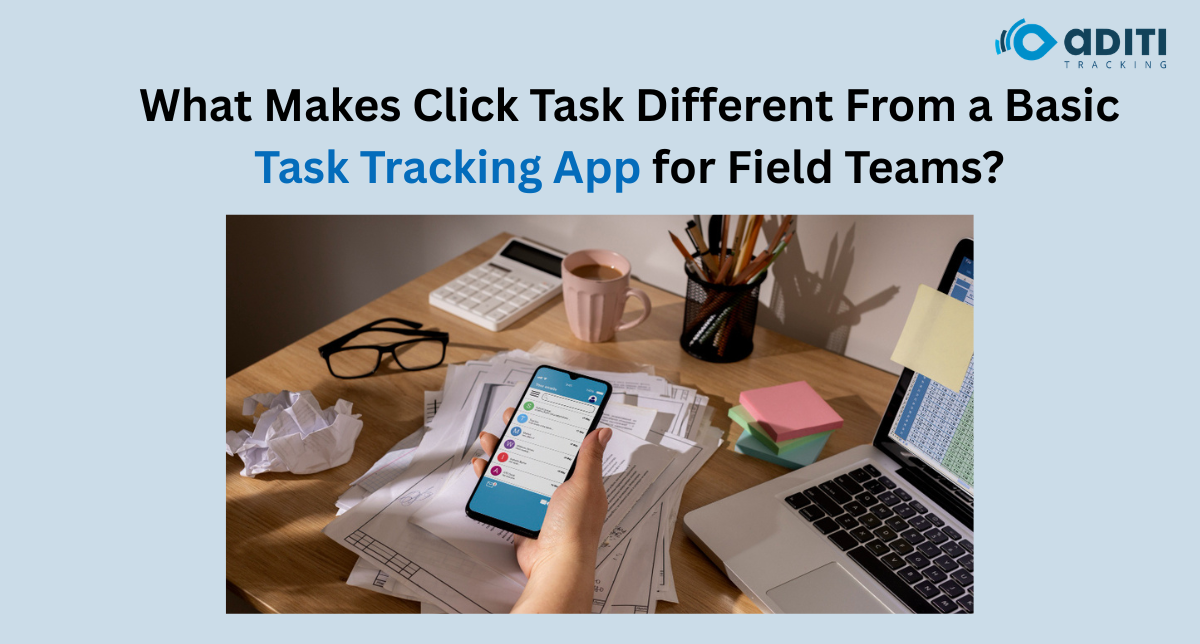
Most task apps can tell you that a job is “pending”, “in progress” or “completed”. That is enough when the work happens at a desk. Field teams create a harder problem.
A supervisor may assign a technician to visit a customer, an inspection team may cover several sites in one day, or a sales representative may have multiple meetings across a territory. In these situations, businesses looking for the best task tracking app need more than a digital to-do list. They need to connect tasks with the people carrying them out and understand how work is progressing outside the office.
That is the context in which Aditi Tracking’s Click Task is positioned.
A Checklist and a Field Task Are Not the Same Thing
Consider two tasks:
“Prepare the monthly sales report.”
“Visit the customer site and inspect the equipment.”
Both can appear as items on a task list, but the second involves a physical location, employee movement and field execution.
A basic task app may be perfectly suitable for the first.
For the second, the manager may need better visibility into the employee carrying out the assignment. This is why task management software designed around field operations needs to account for the realities of work happening across different locations.
Click Task combines task management with field employee tracking capabilities rather than treating every assignment like an office checklist.
Task Assignment Is Only the Beginning
Creating a task is easy.
Managing what happens afterwards is where field operations become difficult.
Suppose a supervisor assigns 25 customer visits across five employees. By lunchtime, the manager needs to know which activities are progressing and where follow-up may be required.
Without a structured system, that information often arrives through calls, messages and separate employee updates.
Click Task provides task creation and assignment functionality alongside progress monitoring. Managers can create tasks, assign them to team members and follow the status of work through the application.
For businesses comparing the best task tracking app for daily task management, this visibility can matter more than simply having a long list of completed activities.
Field Employee Tracking Adds Operational Context
This is one of the important differences between generic task lists and a system intended for mobile teams.
Click Task supports real-time employee tracking.
Why does that matter?
Imagine a manager receives an urgent customer request in one part of the city. Three employees are already working in the field.
Knowing their assigned tasks is useful. Having location visibility can provide additional context when deciding how to manage the new requirement.
This does not mean location should replace managerial judgement. It gives the manager another piece of operational information.
For field teams, the best task tracking app should help connect work allocation with the reality of employees operating away from a central workplace.
Attendance and Tasks Can Be Part of the Same Workday
Field employees do not necessarily start every morning by entering a corporate office.
That makes conventional attendance processes less practical for some teams.
Click Task includes attendance functionality alongside employee tracking and task management. Bringing these elements together can reduce the need for businesses to manage field attendance and work progress through completely separate manual processes.
This is particularly relevant for organisations whose employees spend most of their working hours:
- visiting customers;
- travelling between sites;
- performing inspections;
- handling field service activities;
- completing sales visits; or
- working across distributed locations.
The purpose of task management software in this environment is not just organising work. It is helping managers maintain clearer visibility over a distributed working day.
Managers Need a Team View, Not 20 Separate Conversations
One of the hidden costs of field management is follow-up.
A manager with 20 employees can spend a surprising amount of time asking:
“Where are you?”
“Did you finish that visit?”
“What is still pending?”
“Have you started the next task?”
A best task tracking app for project management should reduce dependence on this type of repetitive coordination by giving managers a structured view of assigned work and its progress.
Click Task also supports task reports, allowing managers to review work rather than relying entirely on individual messages and memory.
The difference is simple.
Messaging tells you what somebody said.
Structured task data helps you see what has been assigned and how work is progressing.
Daily Tasks Need Priorities
Not every field activity carries the same urgency.
An unexpected customer complaint may need attention before a routine follow-up visit. A time-sensitive inspection may need to be completed before several lower-priority activities.
Click Task supports task prioritisation, helping teams distinguish work according to its importance.
For businesses searching for the best task tracking app for daily task management, this can help prevent a common problem: employees seeing a long list of activities without enough clarity about what deserves attention first.
A useful task system should not merely record workload. It should help organise it.
What Should Businesses Actually Compare?
Choosing the best task tracking app for project management does not mean selecting the application with the longest feature list.
The more useful question is whether those features match the way employees actually work.
For a field-based business, evaluate whether the system can support:
- task creation and assignment;
- task prioritisation;
- progress visibility;
- employee attendance;
- field employee location visibility;
- reports for reviewing completed work; and
- practical mobile usage by employees away from the office.
A sophisticated office project-management platform can still be the wrong tool if the primary operational challenge is managing people across physical locations.
Click Task Is Built Around Work Beyond the Desk
The key distinction is therefore not whether Click Task can create tasks. Plenty of applications can do that.
Its relevance to field teams comes from combining task assignment and monitoring with attendance and employee tracking capabilities. That makes it more aligned with businesses where supervisors need visibility into both what work has been assigned and how distributed teams are operating.
For organisations evaluating the best task tracking app, that operational fit should carry more weight than simply counting features.
Bringing Field Work Into One Clearer Workflow
Field teams create a management challenge that ordinary to-do lists were not necessarily designed to solve. Tasks, employees, attendance and field activity are interconnected parts of the same working day.
Aditi Tracking’s Click Task combines task management software capabilities with field employee tracking and attendance features to help businesses manage distributed teams more systematically. Organisations can explore Click Task based on the way their employees and field assignments operate.
Stop chasing updates and start seeing real progress — your field team’s entire day, in one clear view. Book a free Click Task demo now and see how fast field chaos turns into structured visibility.
FAQs
1. What is the best task tracking app for field employees?
The appropriate app depends on the organisation’s workflow. Field-based businesses should consider task assignment, progress tracking, attendance, employee location visibility and reporting rather than evaluating task lists alone.
2. Does Click Task provide employee tracking?
Yes. Click Task includes real-time employee tracking functionality designed to provide businesses with visibility into field employees.
3. Can Click Task be used for attendance?
Yes. Attendance management is included among Click Task’s workforce-management capabilities.
4. What is the difference between task tracking and task management software?
Basic task tracking generally focuses on recording and monitoring individual tasks. Broader task management software can provide additional functionality around assignment, priorities, team visibility, reporting and related workflow requirements.
5. Is Click Task useful for daily field task management?
Click Task is designed to support task creation, assignment, prioritisation and progress monitoring alongside field employee tracking, making it relevant to businesses managing recurring field activities.



 Smart Fleet
 Cool Bus
 Clicktask
 CommutePulse
 Wastetrail